You build it, and you see each part.
- Android apps
- Visual designer and blocks, no code to type
- AI builder when you want help
- Output: an .apk or .aab file, and a project you can export as .aia
- Free to build. Only the AI builder uses paid credits
Casagbic Creator is a visual builder for Android apps. Design each screen by drag and drop, make it work with blocks, or ask the AI builder to do it. Then build an .apk or .aab. Building is free.
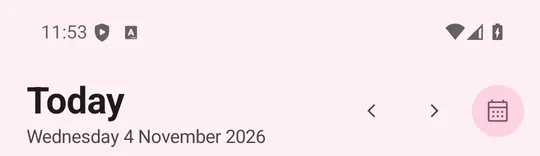
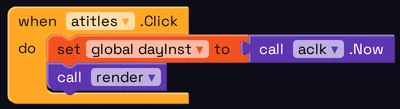
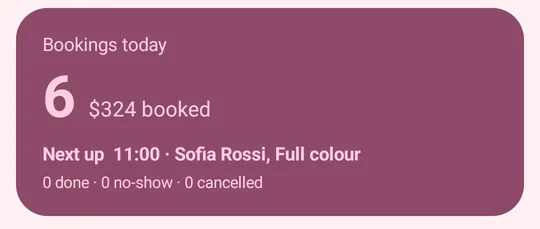
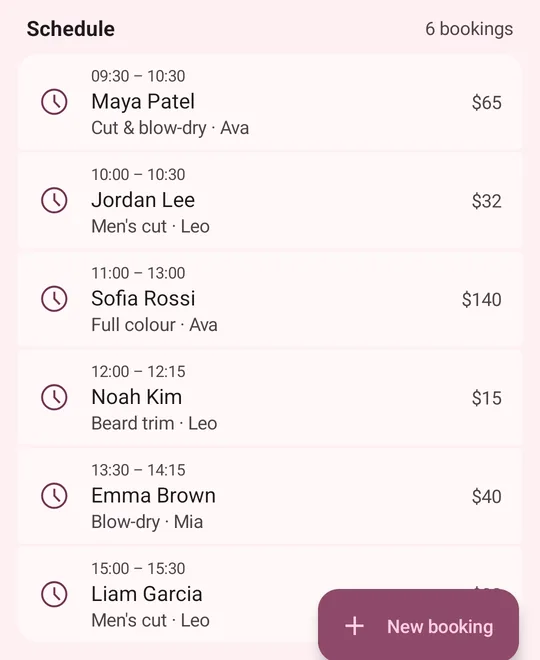
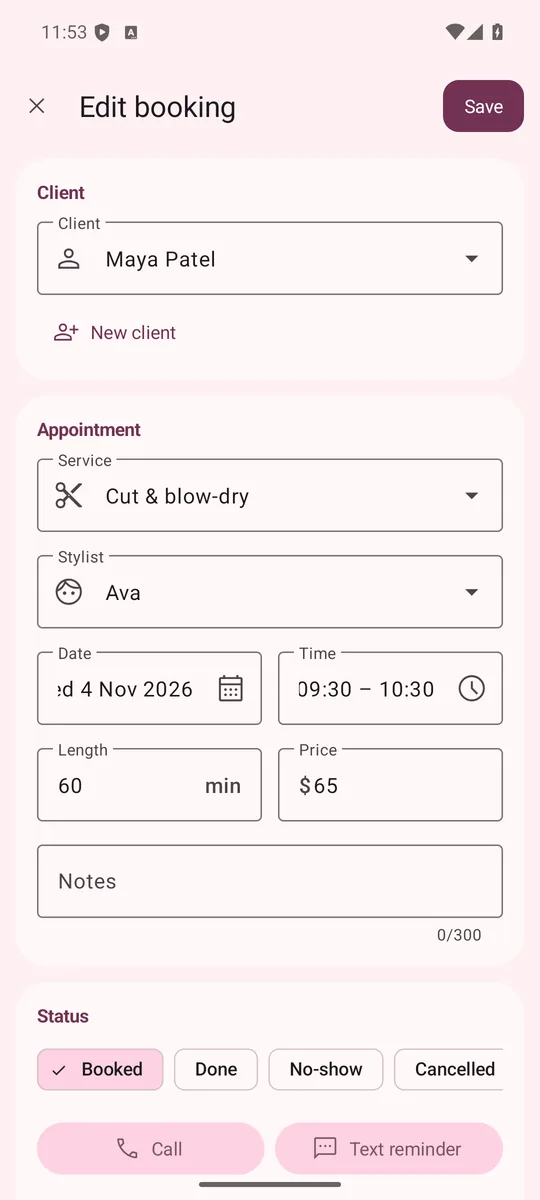
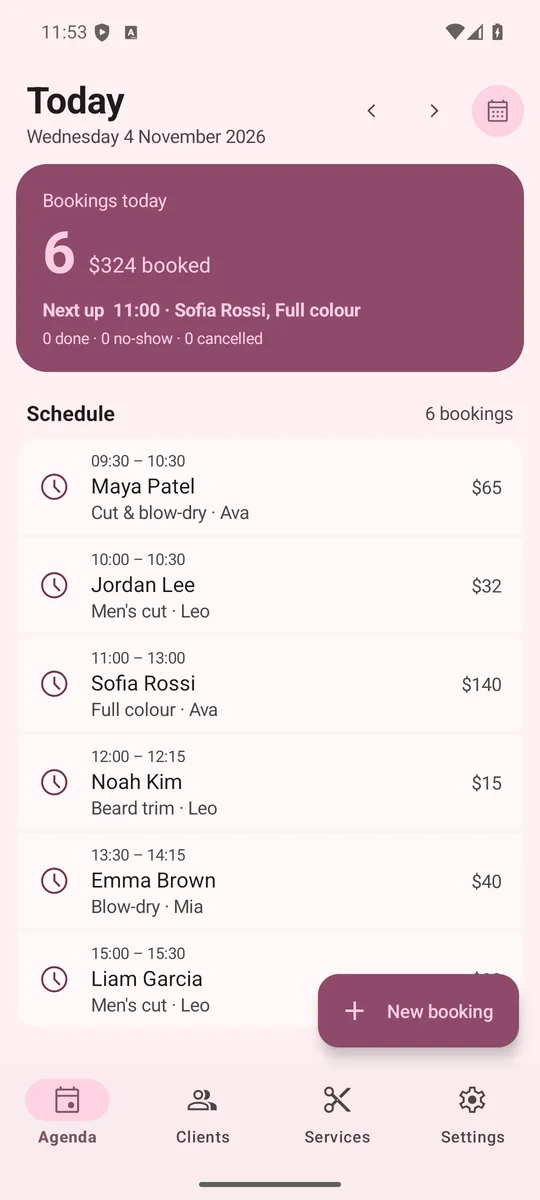
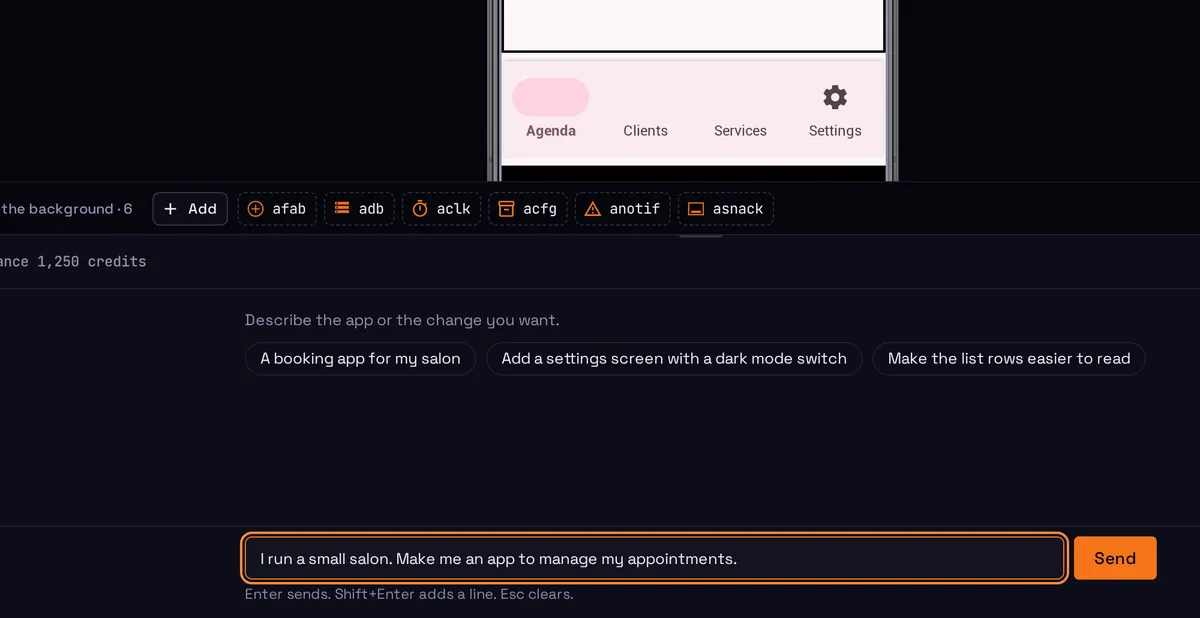
I run a small salon. Make me an app to manage my appointments.
That is the full request, unedited, from a test run of the AI builder in Pro mode on 4 November 2026.
The result was an appointment app with 6 screens and 5,452 blocks. The three screens here are captures from an Android phone, not mockups.
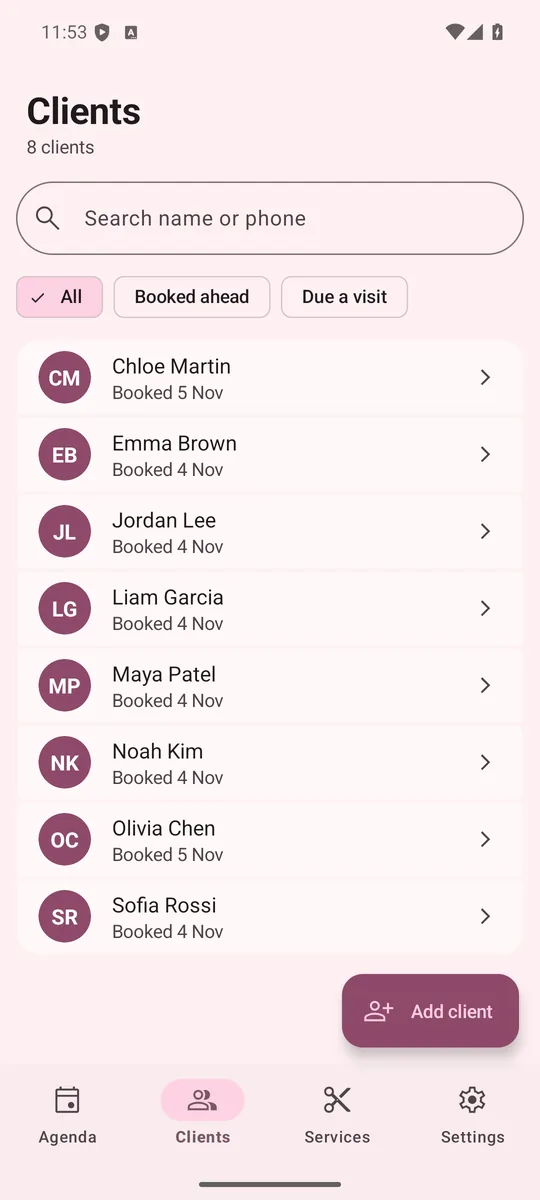
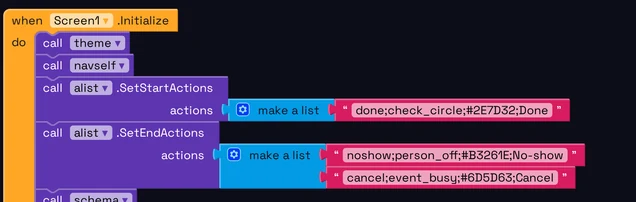
Each app is a project that you can see: screens, components and blocks. You can make all of it by hand, let the AI builder make it, or mix the two.
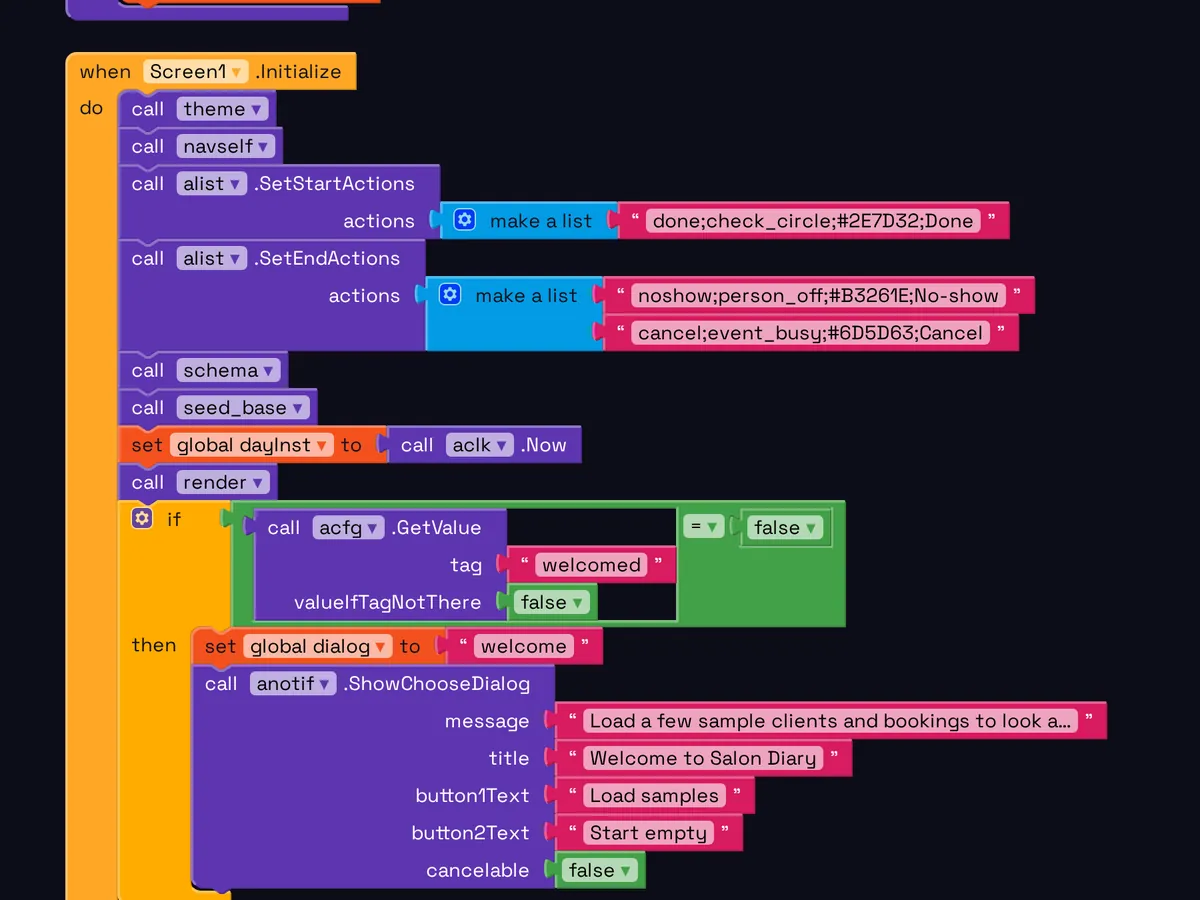
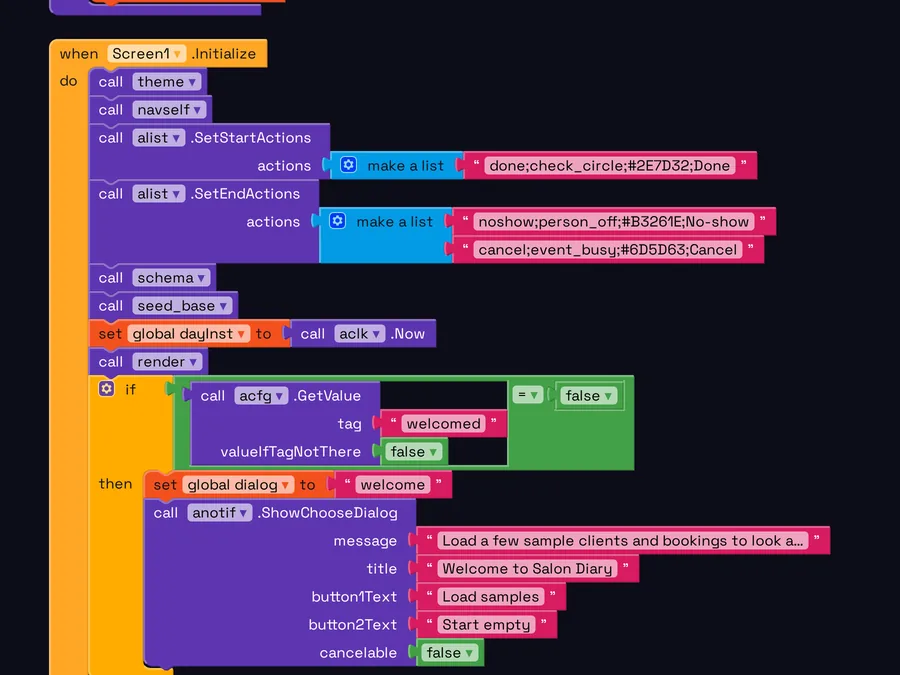 Blocks


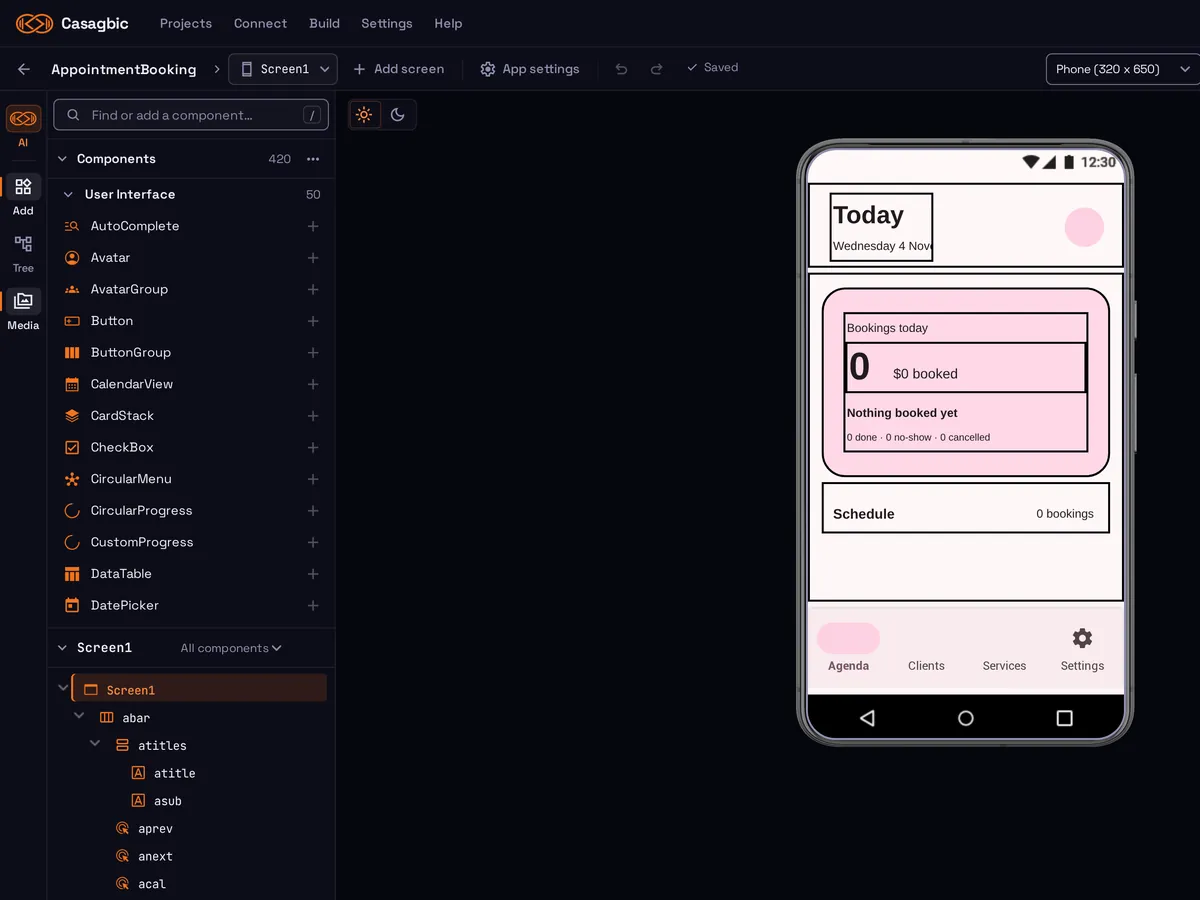
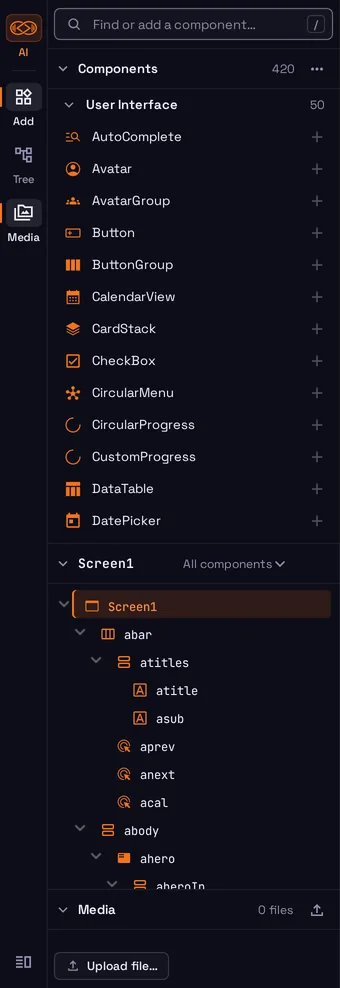 Components
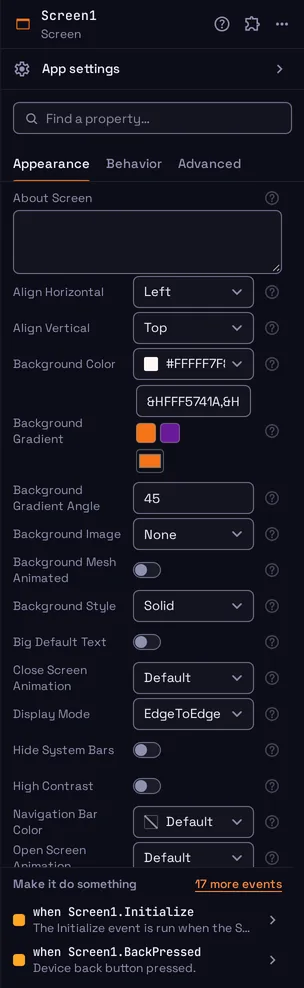 Properties
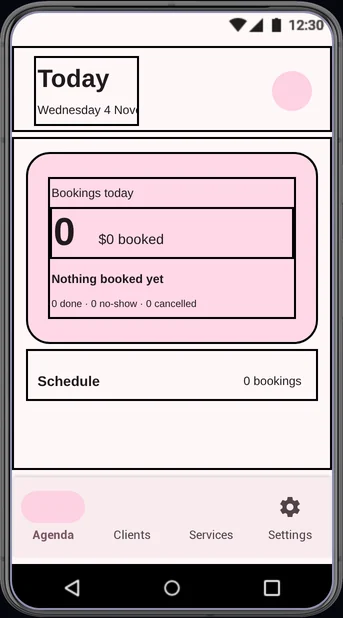 Phone preview
Pick a component, drop it on the screen, and set its properties in the panel on the right. The preview shows the screen as a phone shows it.
An event block says when something happens. The blocks inside it say what the app does then. You connect them like puzzle pieces, so a block that does not fit does not connect.
Describe the app, or one change, in a sentence. The AI builder edits the same project that you see in the designer and in the blocks, so you can check its work and continue by hand.
The AI builder can change or remove parts of a project, also parts that you did not name. Check each change, and export the project before a large AI edit.
Open a starter app, start with an empty screen, import an .aia project, or give the AI builder a request.
Put components on each screen and set how they look.
Connect blocks to say what happens when a person taps, types or opens a screen.
Try the app on a phone while you work. Then build the .apk or .aab file.
Connect a phone with the Casagbic Companion app, by USB, or use an emulator, and try the app while you build it.
Build an .apk to install directly, or an Android App Bundle (.aab). Download the file promptly: built files are kept for about one day.
Creator signs your builds with a keystore made for your account. You can download it. Keep your own backup, because app updates need the same key.
You own your projects. Export a project as an .aia file at any time and keep your own copy.
Building in Creator is free. You sign in with your Casagbic account, and only the AI builder uses paid Casagbic credits.
Creator is built on MIT App Inventor, an open-source project under the Apache License 2.0. Casagbic is not affiliated with or endorsed by MIT.
Casagbic Creator is a visual builder for Android apps. You design each screen by placing components on a phone preview, and you make the app work by connecting blocks. An AI builder can make or change the project for you. When the app is ready, Creator builds an .apk or .aab file.
No. You place components and connect blocks. There is no code to type. Each block says what it does in plain words, so you can read the logic of the full app.
The main Casagbic builder takes a description and writes the source code for a web app, a mobile app, or both, with a backend. Creator makes Android apps only, and you see and edit each screen and each block yourself. Use the main builder when you want a full product from a description. Use Creator when you want to build an Android app by hand, or learn how one works.
Building in Creator is free. You can design screens, connect blocks, test on your phone and build your app file at no cost. Only the AI builder is paid: it uses credits from your Casagbic credit balance, the same credits as the main Casagbic builder.
No. You sign in to Creator with your Casagbic account. There is no separate Creator account, and the AI builder uses the same credit balance.
Creator builds an Android App Bundle (.aab) and an .apk. It signs your builds with a signing keystore that it creates for your account, and you can download that keystore. Keep your own backup of it. You are the developer and publisher of your app, and you are responsible for following the Google Play policies. Download built files promptly: they are kept for about one day, and you can build again at any time.
Yes. You own your projects. You can export a project as an .aia file at any time and keep your own copy.
Creator is built on MIT App Inventor, an open-source project released under the Apache License 2.0. Casagbic makes and maintains its own changes. Casagbic is not affiliated with or endorsed by MIT. App Inventor is a trademark of MIT.
The full rules for Creator are in section 8 of the Terms and section 6 of the Privacy Policy.